
For piping, set is passed, but with S3 method transformations are applied to the focused xpdb object.
Usage
focus_xpdb(xpdb_s, ..., .add = FALSE)

unfocus_xpdb(xpdb_s)

focused_xpdbs(xpdb_s)

focus_function(xpdb_s, fn, ...)

focus_qapply(xpdb_s, fn, ..., .mods = everything())
Arguments
- xpdb_s
<
xpose_set> An xpose_set object- ...
<
dynamic-dots> One or more xpdb objects to focus on- .add
<
logical> Should the focus be added to the existing focus? (default:FALSE)- fn
<
function> to apply to focusedxpose_dataobjects- .mods
<
tidyselect> Model names in set to quick-apply a function. See Details.
Value
An xpose_set object with the focused xpdb object(s) transformed in place, or,
for functions that do not return an xpose_data/xp_xtras object, the output of fn
(or a named list of outputs, if multiple elements are focused)
Details
While these functions are used internally, it is recognized that they may have value in user scripting. It is hoped these are self-explanatory, but the examples should address common uses.
Note: focus_qapply() (re)focuses as specified in .mods and then un-focuses all elements
of the set so should only be used in the case where a quick application
suffices. Otherwise, focusing with a sequence of focus_function calls
(or a monolithic single focus_function call with a custom function)
should be preferred.
focus_function()/focus_qapply() support two kinds of fn:
Transform functions, which take an
xpose_data/xp_xtrasobject and return one (e.g.set_var_types_x). These are applied to each focused element in place, and the (still-focused)xpose_setis returned so calls can keep being piped.Output-generating functions, which take an
xpose_data/xp_xtrasobject but return something else (e.g. a plot or table). These are applied to each focused element, and the raw output is returned instead of anxpose_set: a single value if only one element is focused, or a named list (by label) of outputs if several are focused.
Examples
# Select two xpdb objects to focus on
xpdb_set %>% focus_xpdb(mod2,fix1)
#>
#> ── xpose_set object ────────────────────────────────────────────────────────────
#> • Number of models: 4
#> • Model labels: mod1, mod2, fix1, and fix2
#> • Number of relationships: 3
#> • Focused xpdb objects: mod2 and fix1
#> • Exposed properties: none
#> • Base model: none
# Add a focus
xpdb_set %>% focus_xpdb(mod2,fix1) %>% focus_xpdb(mod1, .add=TRUE)
#>
#> ── xpose_set object ────────────────────────────────────────────────────────────
#> • Number of models: 4
#> • Model labels: mod1, mod2, fix1, and fix2
#> • Number of relationships: 3
#> • Focused xpdb objects: mod1, mod2, and fix1
#> • Exposed properties: none
#> • Base model: none
# Remove focus
xpdb_set %>% focus_xpdb(mod2,fix1) %>% focus_xpdb()
#>
#> ── xpose_set object ────────────────────────────────────────────────────────────
#> • Number of models: 4
#> • Model labels: mod1, mod2, fix1, and fix2
#> • Number of relationships: 3
#> • Focused xpdb objects: none
#> • Exposed properties: none
#> • Base model: none
if (FALSE) { # \dontrun{
# Focus function and tidyselect
pheno_set %>%
focus_xpdb(everything()) %>%
# Add iOFV col and iofv type to all xpdbs in set
focus_function(backfill_iofv) %>%
# Show 1... can do all like this, too, but no need
unfocus_xpdb() %>%
select(run6) %>%
{.[[1]]$xpdb} %>%
list_vars()
# Quick-apply version of previous example
pheno_set %>%
focus_qapply(backfill_iofv) %>%
select(run6) %>%
{.[[1]]$xpdb} %>%
list_vars()
} # }
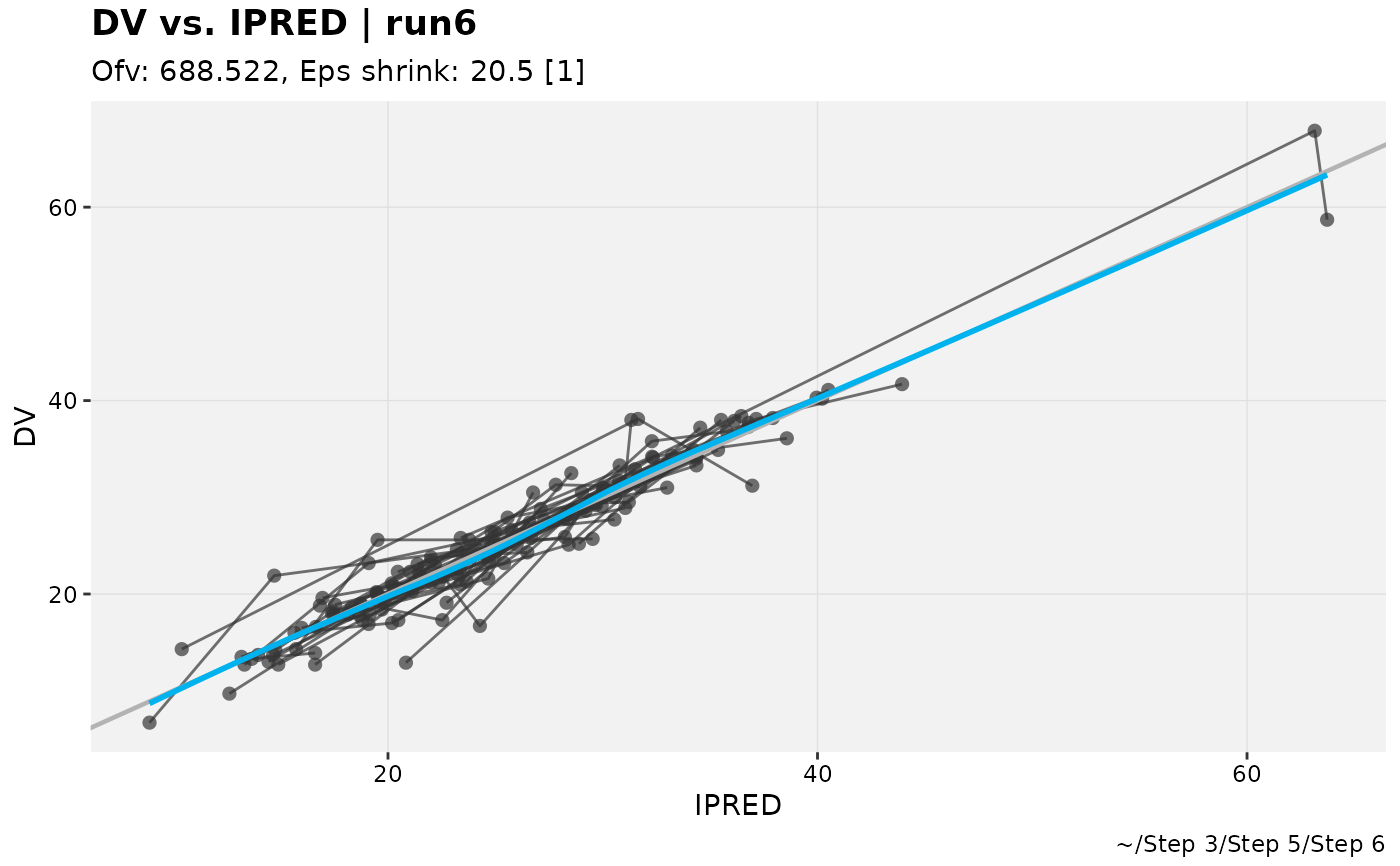
# Output-generating function applied to a single focused element:
# returns the plot itself, not an xpose_set
pheno_set %>%
focus_xpdb(run6) %>%
focus_function(xpose::dv_vs_ipred)
#> `geom_smooth()` using formula = 'y ~ x'
 # ... or with several elements focused, a named list of plots
pheno_set %>%
focus_xpdb(run6, run7) %>%
focus_function(xpose::dv_vs_ipred)
#> $run6
#> `geom_smooth()` using formula = 'y ~ x'
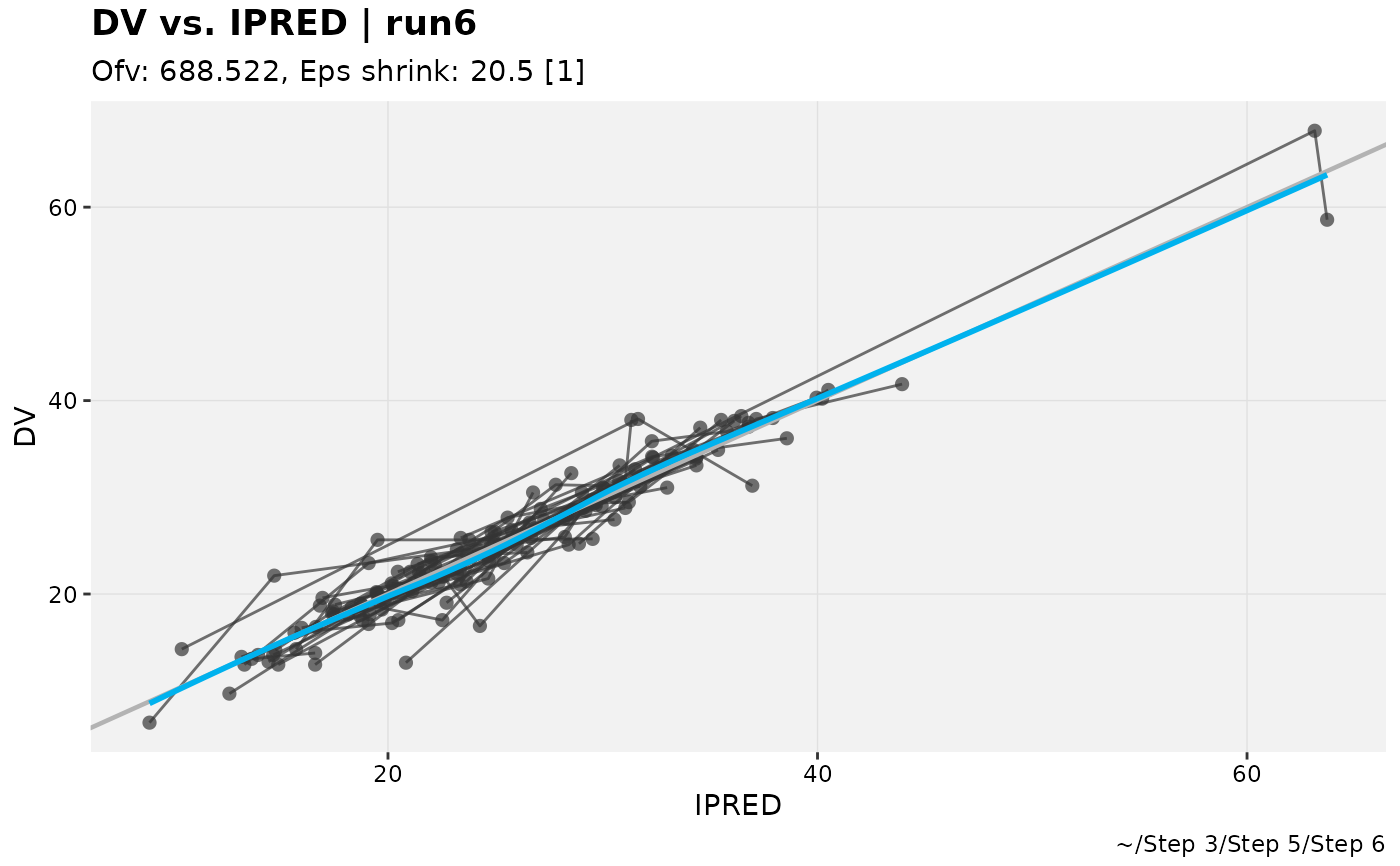
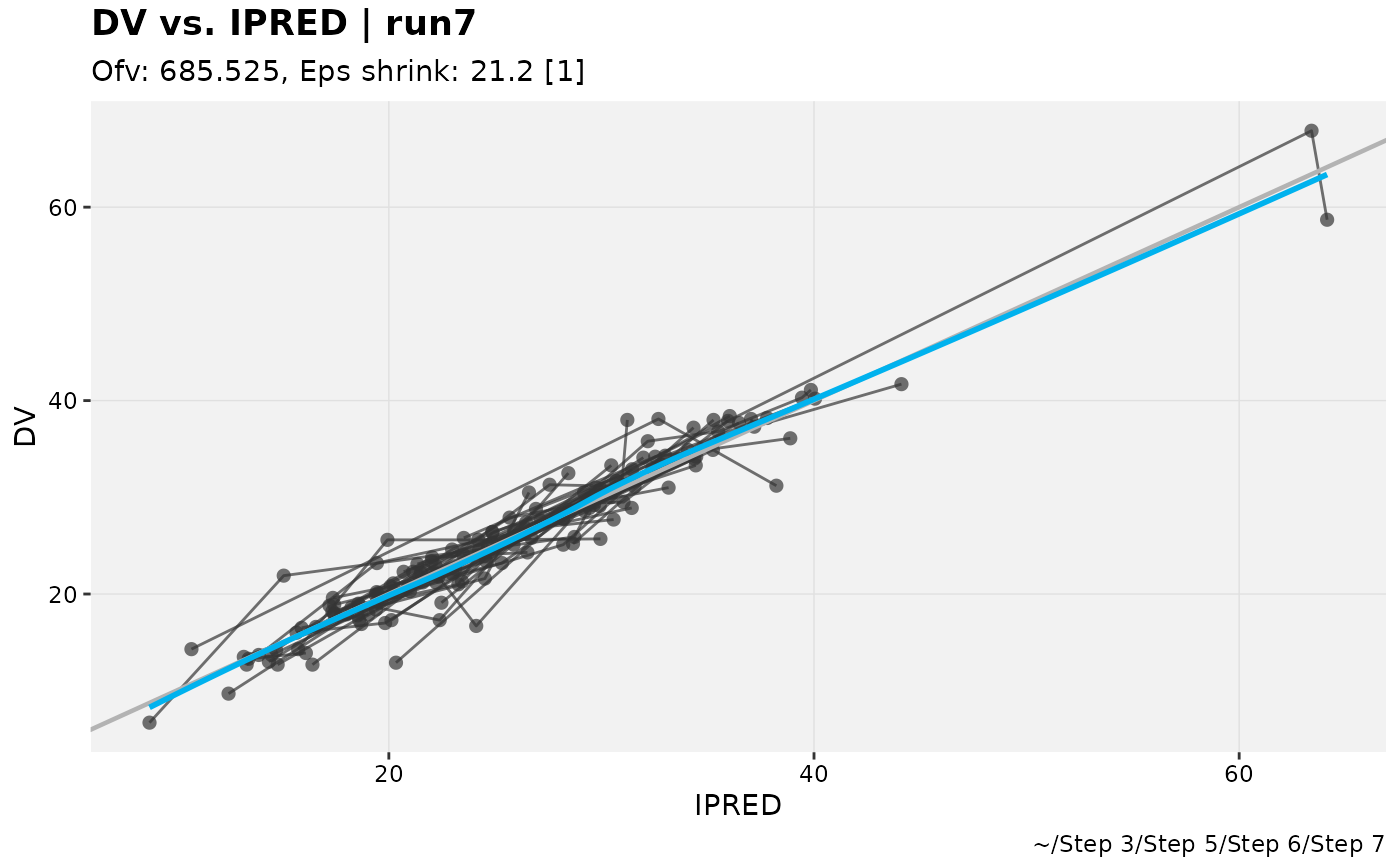
# ... or with several elements focused, a named list of plots
pheno_set %>%
focus_xpdb(run6, run7) %>%
focus_function(xpose::dv_vs_ipred)
#> $run6
#> `geom_smooth()` using formula = 'y ~ x'
 #>
#> $run7
#> `geom_smooth()` using formula = 'y ~ x'
#>
#> $run7
#> `geom_smooth()` using formula = 'y ~ x'
 #>
#>